AI Workflow Automation: Automating Business Processes from Start to Finish

Cekat AI
Key Advantages
- Autonomous End-to-End Execution: Replaces manual inter-departmental handoffs with intelligent automated systems capable of making real-time data decisions.
- Frictionless Operational Scalability: Manages high-volume customer inquiries and CRM database updates without demanding linear headcount expansion.
- Human Error Elimination on Critical Paths: Guarantees lead routing precision, automated ticket escalations, and payment milestone synchronizations execute flawlessly.
- Native Enterprise Messaging Connectivity: Orchestrates automated workflows directly across official WhatsApp Business API channels and central CRMs.
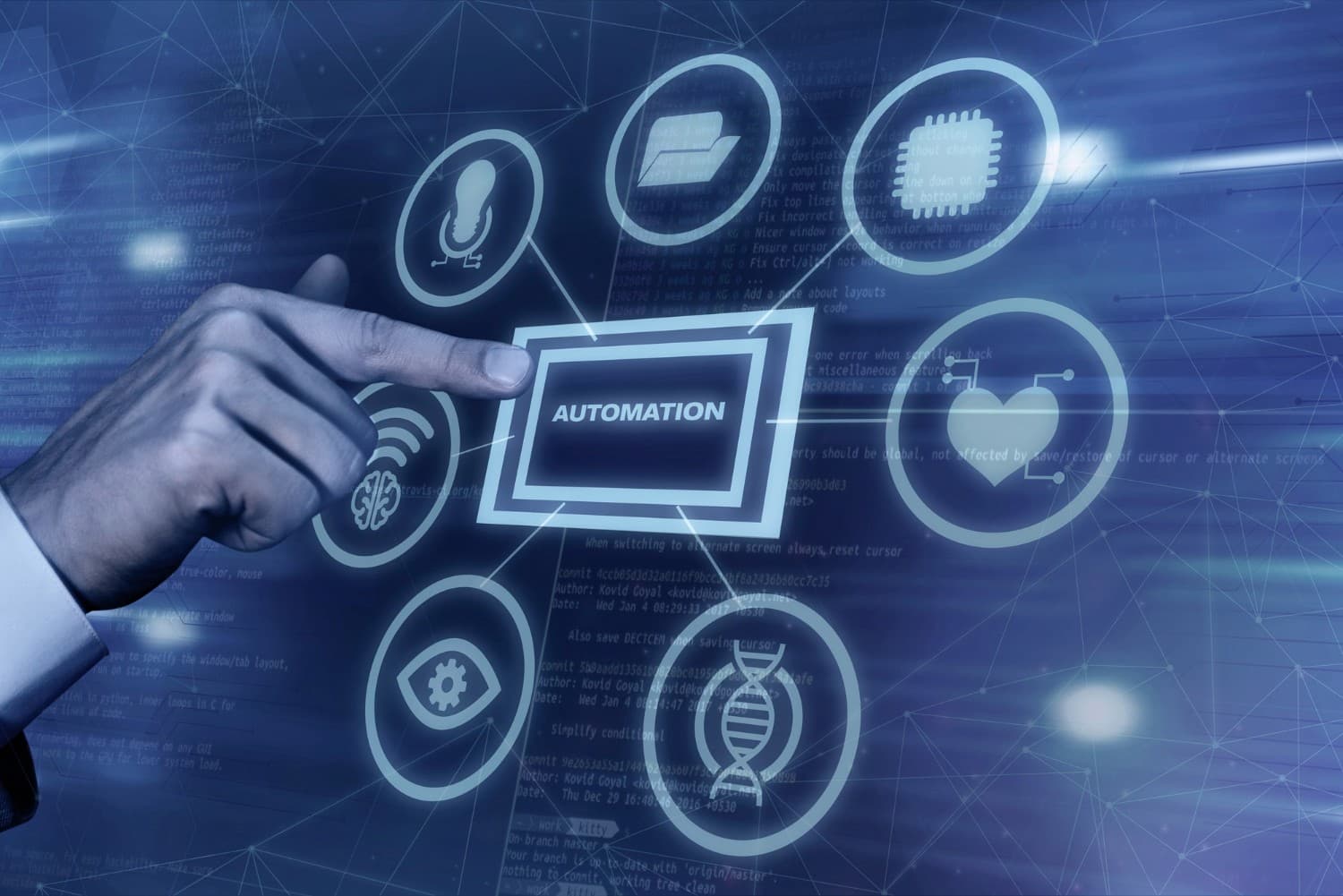
AI workflow automation is an enterprise approach that leverages artificial intelligence to map, design, and execute sequential business tasks autonomously from start to finish. Unlike traditional script-based automation, cognitive workflow engines analyze context and make dynamic, data-driven decisions within active processes, allowing operations that previously required manual cross-departmental coordination to run independently without constant human intervention.
As commercial organizations scale, leadership teams frequently encounter an operational bottleneck: why does managing larger customer volumes become exponentially complex? The root cause is almost always identical. Back-office operations—including sales lead distribution, customer follow-up cadences, CRM data entry, and departmental alerts—remain anchored to manual human actions. Overcoming these bottlenecks is straightforward when organizations deploy modern workflow automation engines.
Research from McKinsey Digital indicates that approximately 60% of contemporary occupations consist of at least 30% technically automatable tasks. Despite this potential, many expanding enterprises have yet to capitalize on AI-driven process orchestration due to a lack of practical execution frameworks.
What Is AI Workflow Automation? Definition and Core Mechanics
AI workflow automation represents the technological evolution of business process management. While legacy automation executes rigid, rule-based logic (“if condition A occurs, trigger action B”), AI-driven systems introduce semantic context comprehension, historical data pattern analysis, and dynamic decision-making capable of managing ambiguous operational scenarios. Compare these approaches in our guide on rule-based vs AI-driven API automation.
In practice, a single automated AI workflow can execute dozens of synchronized operations within seconds: receiving an inbound customer message on WhatsApp, parsing user intent, retrieving product specifications from inventory databases, updating CRM contact properties, dispatching personalized responses, and routing complex cases to specialized human agents with full conversation summaries.
Core Architectural Components of AI Workflow Automation
| Architectural Component | System Functionality | Enterprise Deployment Example |
|---|---|---|
| System Trigger | The specific event that autonomously initiates the workflow sequence. | Inbound WhatsApp message, submitted web form, or successful payment webhook. |
| AI Decision Engine | The cognitive core evaluating semantic context to determine the next operational action. | Classifying customer intent, assessing ticket priority, selecting optimal response macros. |
| Action Execution | Concrete programmatic actions dispatched based on AI decisions. | Dispatching messages, updating CRM deal stages, creating support tickets. |
| Conditional Branching | Dynamic process routing logic tailored to customer attributes. | Routing VIP enterprise accounts to senior account managers while deflecting tier-1 queries. |
| Integration Layer | API middleware connecting external enterprise software stacks. | Bi-directional syncing with the WhatsApp Business API, ERPs, and billing systems. |
| Telemetry & Monitoring | Real-time performance analytics tracking operational throughput. | Live dashboards measuring execution latency, step completion rates, and exception points. |
8 Core Business Benefits of AI Workflow Automation
Deploying cognitive workflow automation delivers measurable efficiency gains across enterprise operations:
- High-Volume Repetitive Task Elimination: Automates routine administrative operations like manual data entry, status updates, and order confirmations, freeing human teams for strategic initiatives.
- Sub-Second Execution Velocity: Completes multi-step operational handoffs in milliseconds, replacing legacy 24-to-48-hour manual coordination cycles.
- Standardized Service Quality: Eliminates human fatigue factors, ensuring every customer interaction adheres to uniform operational standards.
- Cost-Effective Scalability: Absorbs surging transaction volumes effortlessly without demanding linear customer support headcount growth.
- Commercial Opportunity Leakage Prevention: Eliminates dropped follow-up cadences and unaddressed inbound sales leads.
- Transparent Operational Visibility: Digitally records every workflow milestone, providing leadership with actionable telemetry into SLA compliance.
- Elevated Customer Satisfaction: Delivers instant, accurate resolutions that reinforce buyer trust and loyalty.
- Actionable Data-Driven Decision Making: Generates structured analytical telemetry to identify operational friction and guide strategic optimization.
Operational Telemetry: Before vs. After AI Workflow Automation
| Operational KPI | Before AI Workflow Automation | After AI Workflow Automation |
|---|---|---|
| First Response Time (FRT) | 2 to 4 hours during peak operational shifts | Under 30 seconds delivered 24/7 autonomously |
| 1-Hour Lead Follow-Up Rate | 30% – 40% due to representative bandwidth limits | 100% via automated real-time triggers |
| Daily Manual CRM Data Entry | 1 to 2 hours per support agent per day | Near zero via automated bi-directional syncing |
| Ticket Misrouting Rate | 10% – 15% resulting from manual triage | Under 2% using AI intent classification |
| Agent Daily Chat Capacity | 50 – 100 conversations per agent per shift | 200 – 300+ assisted by autonomous AI triage |
Departmental Use Cases for AI Workflow Automation
Cognitive workflow engines adapt to diverse functional requirements across the enterprise:
1. Sales and Revenue Operations
Empowers sales representatives to concentrate on consultative negotiations rather than manual administrative tasks:
- Automated Lead Ingestion & Routing: Evaluates inbound lead parameters and assigns opportunities to designated account executives in real time.
- Structured Follow-Up Sequences: Dispatches automated follow-up cadences tailored to buyer responsiveness using frameworks from our guide on effective lead follow-up strategies.
- Real-Time CRM Deal Progression: Advances opportunity stages inside pipeline management software automatically when prospects book product demos or complete transactions.
- At-Risk Deal Alerts: Alerts sales directors when high-value opportunities remain dormant for extended periods.
2. Customer Service and Support
Maintains sub-second customer support resolution around the clock:
- 24/7 Inbound Inquiry Triage: Comprehends conversational intent and resolves routine tier-1 inquiries using an intelligent WhatsApp AI chatbot.
- SLA-Driven Dynamic Escalation: Routes complex escalations to human specialists inside a centralized WhatsApp multi-agent workspace prior to SLA target expirations.
- Automated Ticket Logging: Converts unresolved issues into structured support tickets inside dedicated ticketing management systems and complaint management modules.
- Post-Resolution CSAT Surveys: Dispatches automated satisfaction surveys immediately upon ticket resolution.
3. Marketing and Campaign Orchestration
Executes targeted customer re-engagement cadences at enterprise scale:
- Behavior-Triggered Nurturing: Delivers contextual educational content based on explicit website browsing and asset download behavior.
- Dynamic Audience Segmentation: Updates target cohorts dynamically inside customer segmentation software as accounts hit specific purchasing milestones.
- Compliant Promotional Broadcasts: Schedules targeted broadcasts following proven guidelines from our guide on how to broadcast on WhatsApp without getting banned.
4. Operational Administration
Eliminates internal procedural friction that slows organizational velocity:
- Automated Client Onboarding: Delivers welcome materials, documentation, and credentials immediately upon transaction verification.
- Scheduled Payment Reminders: Dispatches recurring invoice alerts via structured payment reminder workflows.
- Cross-Departmental Alerts: Forwards high-priority commercial contract notices from sales teams directly to legal and logistics units.
Core Process Characteristics Ideal for Automation
| Operational Workflow | Automation Potential | Implementation Complexity | Commercial Business Impact |
|---|---|---|---|
| FAQ & Inquiry Deflection | Very High (80% – 90%) | Low | Reduces support team workload and accelerates response speed. |
| Inbound Lead Routing | Very High (95%+) | Low – Medium | Accelerates first-contact velocity and increases win rates. |
| Follow-Up Sequences | High (70% – 85%) | Low | Preserves buyer intent and accelerates deal cycles. |
| CRM Data Synchronization | Very High (90%+) | Medium | Maintains data integrity without manual rep data entry. |
| New Client Onboarding | High (60% – 80%) | Medium | Elevates initial onboarding satisfaction and reduces early churn. |
| Billing & Invoice Alerts | Very High (95%+) | Low | Accelerates recurring cash flow collection cycles. |
Step-by-Step Implementation Framework for AI Automation
Deploying a reliable, scalable automated workflow begins with disciplined process mapping:
- Process Mapping: Document existing manual procedures in detail: identify active stakeholders, data handoffs, and recurring delay points.
- Isolate Bottlenecks: Pinpoint tasks that consume substantial working hours but deliver low strategic value to prioritize for initial automation.
- Design the Target Architecture: Define explicit system triggers, conditional branching rules, dynamic knowledge retrieval from your knowledge base, and automated system actions.
- Launch an Initial High-Impact Workflow: Deploy a single focused workflow first, such as automated FAQ resolution or inbound lead qualification.
- Connect Supporting Software Stacks: Integrate workflows with central billing systems, transaction databases, and your enterprise CRM application.
- Continuous Calibration: Monitor performance telemetry across the first 30 days, optimizing branching logic based on real-world interaction data.
Measuring Return on Investment (ROI) from AI Workflow Automation
| Financial Gain Driver | Calculation Methodology | Expected Realization Window |
|---|---|---|
| Labor Cost Savings | Automated Hours per Month × Average Hourly Team Cost | Immediate financial impact realized in month one. |
| Conversion Expansion | (% Conversion Lift) × Monthly Lead Volume × Average Contract Size | Measurable within 30 to 60 days of deployment. |
| Churn Mitigation Savings | Retained Accounts × Average Customer Lifetime Value | Quantifiable within 60 to 90 days. |
| Headcount Scalability | Avoided Recruitment & Salary Overhead During Growth Sprints | Relevant during rapid organizational expansion. |
Combining operational labor savings with elevated conversion velocity directly expands long-term customer retention and elevates lifetime customer lifetime value.
Frequently Asked Questions (FAQ)
1. What is AI workflow automation?
2. How does AI workflow automation differ from traditional rule-based automation?
3. Which business workflows should an enterprise automate first?
4. Is AI workflow automation suitable for growing SMEs?
5. How long does it take to deploy an AI-driven automated workflow?
6. Can AI workflow automation connect directly with official WhatsApp channels?
7. How do revenue leaders measure the success of AI workflow automation?
8. Do frontline teams require programming skills to manage automated workflows?
9. What is the expected ROI realization timeframe for AI workflow automation?
10. Does AI workflow automation aim to replace human employees?
Automate Your Enterprise Operations End-to-End with Cekat.ai
Achieving operational excellence in modern commerce demands sub-second responsiveness and flawless data execution. Adopting cognitive workflow automation liberates your workforce from administrative friction while delivering outstanding customer service experiences.
The enterprise platform at Cekat.ai delivers conversational commerce and contact center infrastructure combining official WhatsApp Business API connectivity, Agentic AI technology, and visual no-code workflow builders. Explore our subscription tiers on our pricing and plans page or schedule a discovery consultation with our solutions engineering team today.


