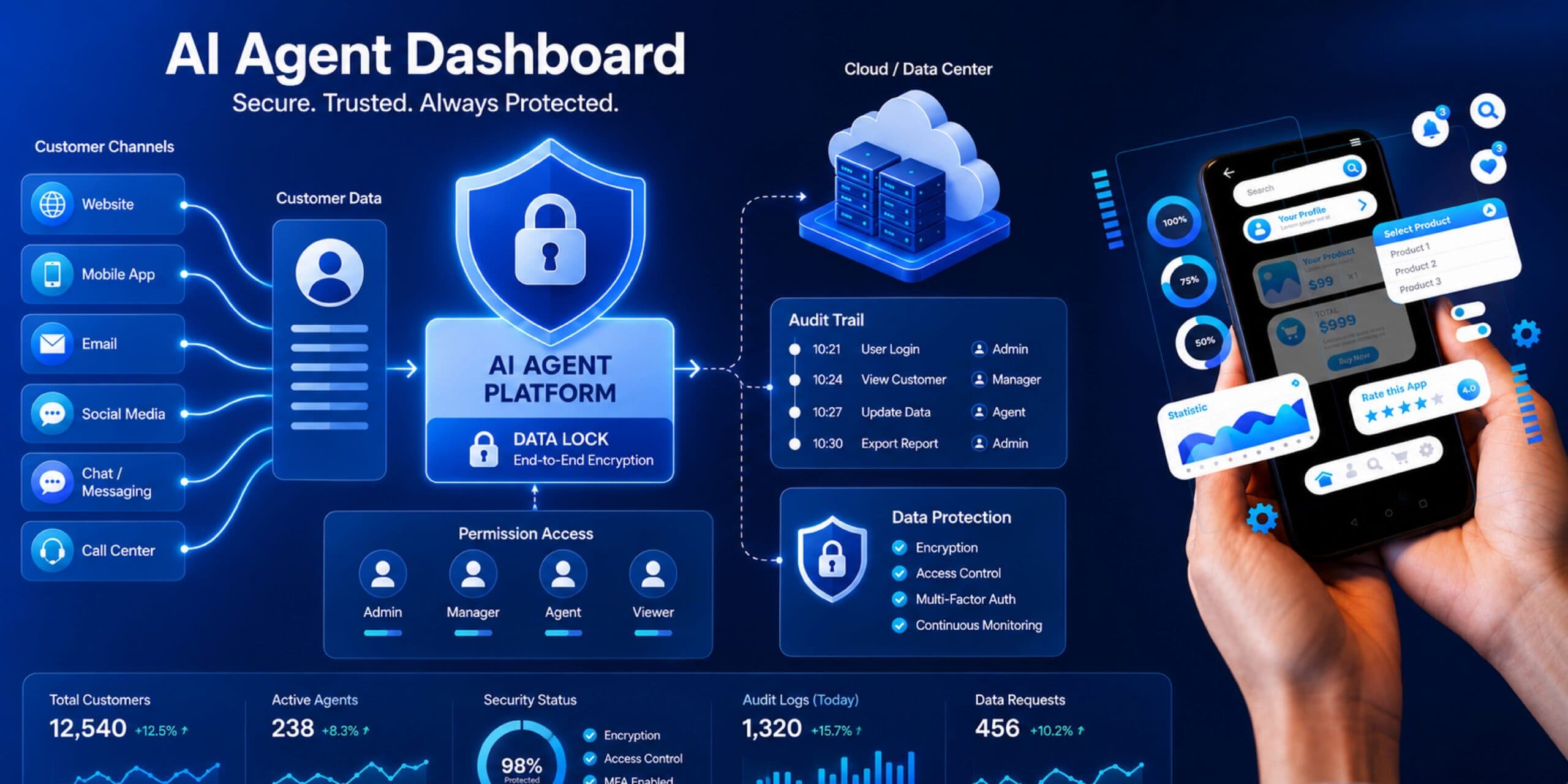

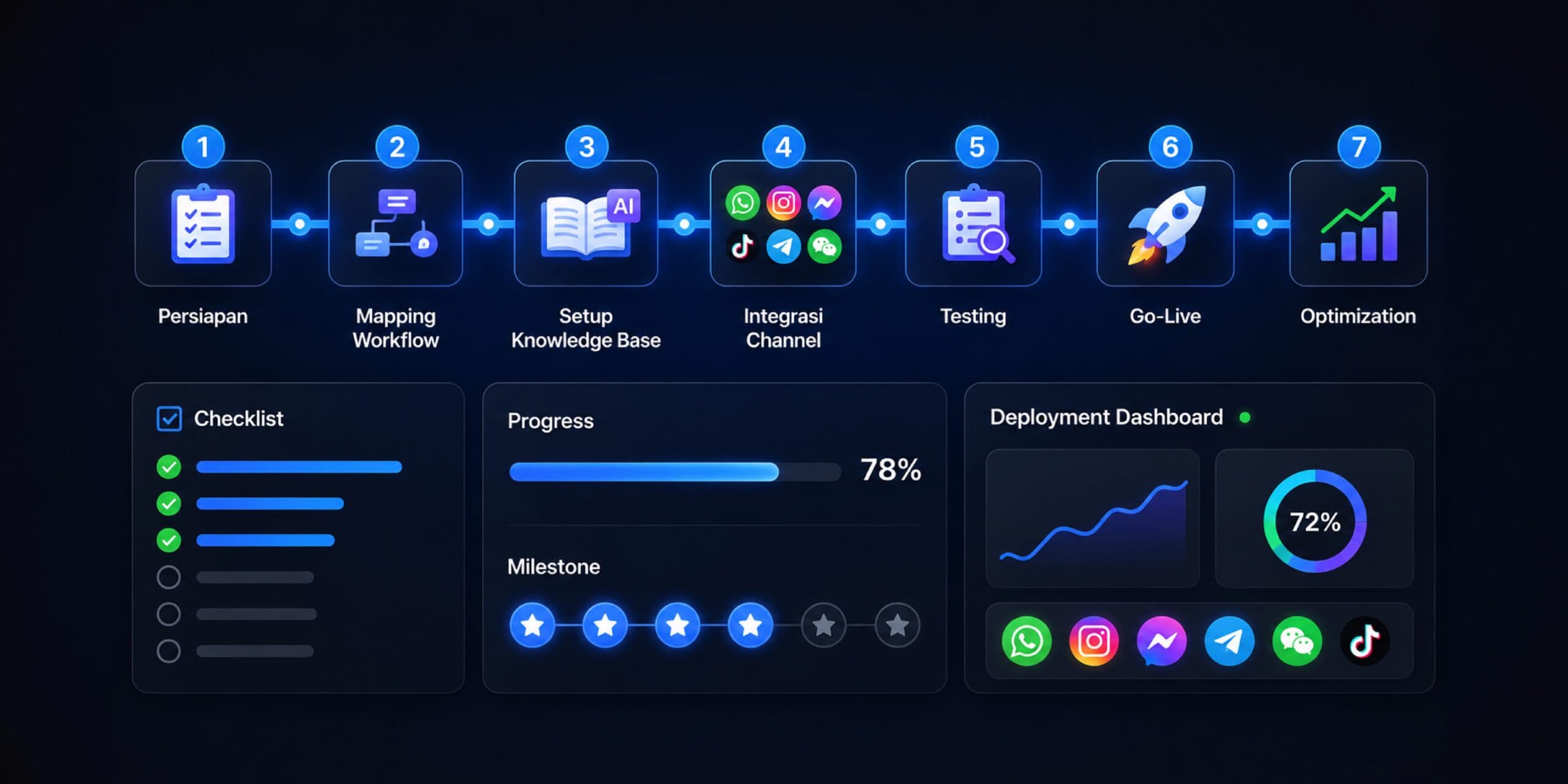
Many businesses are becoming interested in using an AI agent because they want to respond to customers faster, reduce manual work, and make operational processes run more efficiently. However, AI agent implementation can’t just be understood as “install the tools and it runs.” For the results to genuinely impact the business, a company needs to understand the implementation process in stages, from mapping needs, choosing a platform, preparing data, training, testing performance, to making sure the AI agent is truly ready for real daily operations.
At Cekat.AI, we believe successful AI agent implementation always starts with the right question: which business process is most repetitive, eats up the most team time, and has the biggest effect on customer experience and revenue. From there, a business can determine which area is most worth automating first. That’s why we put together this step-by-step business AI agent implementation guide — to help operations managers, IT teams, and business owners understand the stages that need to be prepared before an AI agent truly goes live.
A good AI agent doesn’t just answer customer questions. Beyond that, an AI agent needs to be able to understand conversation context, help run workflows, log important data into a CRM, carry out follow-up, recommend the next step, and help the team make decisions faster. That means AI agent implementation needs to connect with the business’s systems, processes, and goals. Without a clear foundation, an AI agent risks becoming just an extra chatbot that answers some questions but doesn’t really help operations grow more efficiently.
Why Businesses Need to Prepare AI Agent Implementation Seriously
Before installing an AI agent, a business needs to understand that every customer conversation carries important information. Within a chat, there are needs, complaints, hesitations, purchase intent, price questions, schedule requests, and even signals of a prospect ready to convert. If all those conversations are still managed manually, a lot of opportunity can be missed because of delayed responses, inconsistent follow-up, unrecorded customer data, or a team struggling to read the status of every inquiry.
This is where an AI agent becomes very relevant. An AI agent helps a business reduce repetitive workload, speed up response, maintain service consistency, and make the customer process more structured. However, these benefits can only be felt if the implementation is done with the right strategy. A business needs to know which flow it wants to improve, what data will be used, which channels will be connected, who will monitor performance, and what metrics will be used to assess success.
For operations managers, AI agent implementation can help lower daily work bottlenecks. For IT teams, this implementation needs to be secure, integrated, and scalable. For business owners, an AI agent needs to deliver a more concrete impact: faster response, better customer experience, higher conversion rate, and more efficient operational processes. That’s why AI agent implementation should be seen as a process transformation project, not just a software installation.
Phase 1: Audit the Business Processes That Can Be Automated
The first stage in AI agent implementation is conducting a business process audit. In this phase, a business needs to map out which activities are still manual, repetitive, and often slow down service speed. Usually, the easiest areas to identify are customer service processes, lead qualification, prospect follow-up, customer data collection, payment reminders, order status updates, schedule booking, and product or service FAQs.
This audit matters because not every process needs to be automated right away. An implementation that’s too broad without prioritization often makes the process complex and hard to control. Instead, a business should start from the area with the biggest impact and the most manageable risk. For example, if the customer service team is often overwhelmed answering repeated questions about price, schedule, stock, location, payment method, or order status, an AI agent can start by handling those basic questions first. Once that flow is stable, the business can move on to more complex processes such as product recommendations, customer segmentation, automatic follow-up, or CRM integration.
During the audit phase, Cekat.AI typically helps a business look at the conversation flow from start to finish. We don’t just look at the number of incoming chats — we also understand where customers come from, which questions come up most often, where customers typically drop off, and which process eats up the most team time. From this audit, a business can determine its main AI agent use case more objectively. An AI agent isn’t installed just because the technology is trending, but because there’s a real process that can be improved.
The audit phase is also an important moment for aligning expectations across the operations, IT, sales, marketing, and management teams. An AI agent shouldn’t be just one department’s initiative. If the AI agent will be used to handle customers, its flow needs to match operational needs. If it will connect to a CRM, its data structure needs to be understood by the sales and marketing teams. If it will access internal systems, the IT team needs to make sure integration and security work properly.
Phase 2: Choose an AI Agent Platform and Do the Initial Setup
Once the business processes to be automated are clear, the next step is choosing the right AI agent platform. At this stage, a business needs to make sure the chosen platform can not only answer chats, but also support broader operational needs. The ideal AI agent platform needs to be able to understand customer language naturally, build workflow automation, connect with a CRM, support multi-channel communication, and provide an analytics dashboard for monitoring performance.
For businesses just starting out, ease of setup is an important factor. AI agent implementation shouldn’t require an overly long technical process just to run a basic use case. At Cekat.AI, we design the onboarding process so a business can get started faster with a clear implementation structure. The team doesn’t need to build everything from scratch because Cekat.AI already provides a platform that supports an omnichannel inbox, AI agent, CRM, automation, and monitoring in one ecosystem.
Initial setup usually includes connecting communication channels, adjusting the business profile, building the main conversation flow, configuring team roles, setting up customer tagging, and defining the initial workflow. If a business uses WhatsApp, Instagram, live chat, or other channels, all of those channels need to be mapped so customer conversations can be managed more centrally. The goal isn’t just for the AI agent to be able to answer customers, but also for every interaction to flow into a system that can be monitored.
During the setup stage, a business also needs to define the boundaries of the AI agent’s role. An AI agent doesn’t have to replace all human work. In many cases, the best approach is to clearly divide roles between AI and the human team. An AI agent can handle repeated questions, gather initial information, help screen needs, give a fast response, and run automatic follow-up. Meanwhile, the human team still handles conversations that require negotiation, deeper empathy, special decisions, or internal approval. This role division makes the implementation safer, more realistic, and easier for the team to accept.
Phase 3: Train the AI Agent to Understand Business Context
Once the platform is ready, the next phase is training. At this stage, the AI agent needs to be given enough information to understand the product, service, workflow, business policy, brand communication style, and customer context. Good training makes an AI agent not just fast to answer, but also relevant, consistent, and aligned with business needs.
Training material can come from FAQs, product catalogs, customer service scripts, internal SOPs, pricing policy, promo information, payment flow, booking guides, terms of service, and even past conversation examples. The tidier and clearer the information source provided, the better the quality of the AI agent’s responses. However, a business doesn’t need to wait for all the data to be perfect before starting. Implementation can be done gradually, starting from the information customers ask about most often.
At Cekat.AI, the AI agent training process is directed to match the business’s specific usage context. For example, an AI agent for a beauty clinic needs to understand the consultation flow, treatments, booking, and after-treatment follow-up. An AI agent for retail needs to understand stock, product recommendations, shipping, and purchase questions. An AI agent for B2B needs to understand lead qualification, company needs, pain points, and meeting scheduling. With this approach, the AI agent doesn’t work generically — it follows the business’s specific operational needs.
Besides the content of the answers, communication tone also needs to be trained. Every brand has a different language style. Some brands want to sound formal and professional, some want to be friendly and conversational, and some want to be premium, concise, and efficient. The AI agent needs to be able to follow the brand’s communication character so the customer experience stays consistent. That’s why AI agent training isn’t just about filling in a knowledge base, it’s also about shaping how the AI interacts with customers.
Phase 4: Test the AI Agent Before Go-Live
Before an AI agent is used directly by customers, a business needs to run testing. This stage is very important because the AI agent will interact with real customers while carrying the brand’s name. Testing helps a business make sure the AI agent understands questions correctly, gives appropriate answers, follows the defined flow, and can hand the conversation off to a human team when needed.
Testing should be done using realistic conversation scenarios. The team can test various types of questions, from simple questions, repeated questions, ambiguous questions, complaints, special requests, to conversations that require escalation. From each scenario, the team needs to see whether the AI agent gives an accurate answer, whether the flow is too long, whether the response feels too rigid, and whether the customer can be guided to the next step clearly.
In AI agent implementation, testing isn’t just an IT team task. The operations, sales, customer service, and marketing teams also need to be involved because they’re the ones who best understand everyday customer behavior. The IT team can make sure integration, security, and system stability are in order. The operations team can assess whether the flow matches the SOP. The sales team can assess whether the qualification process is actually helping. The marketing team can make sure the messaging stays aligned with brand positioning.
Cekat.AI helps businesses run the testing phase in a more directed way through a use-case-focused approach. That means testing isn’t done randomly, but based on the priority flow already defined during the audit phase. If the first use case is answering FAQs and collecting lead data, testing is focused on those two areas until they’re stable. After that, the business can expand coverage to other workflows such as automatic follow-up, segmented broadcasts, or further CRM integration.
Phase 5: Go-Live with Clear Control
After the AI agent has gone through training and testing, a business can move into the go-live stage. However, go-live shouldn’t be rushed. For a business just starting out, the safest way to go live is gradually. The AI agent can be activated first for a certain channel, certain hours, or certain types of questions. This approach helps the team monitor initial performance and make adjustments without disrupting the entire operation.
During the go-live phase, a business needs to make sure the internal team understands how the AI agent works. The team needs to know when the AI will answer automatically, when the conversation gets handed off to a human, how to read customer status on the dashboard, how to tag conversations, and how to evaluate interaction results. Without good internal understanding, an AI agent can be treated as a system that runs on its own, when in reality its success still requires oversight and regular refinement.
Cekat.AI positions go-live not as the end of implementation, but as the start of the optimization process. Once the AI agent starts being used by real customers, the business will get much richer data. From this data, the team can see the questions that come up most often, the flow that generates the most conversions, the conversation points where customers most often drop off, and the types of inquiries that still need to be handled by humans. This data becomes the basis for improving the AI agent’s performance over time.
Good go-live still needs to maintain a balance between automation and human control. An AI agent helps speed up the process, but a business still needs to make sure the customer experience doesn’t feel rigid or lose the human touch. That’s why the escalation feature to a human team matters. An AI agent needs to know when to answer, when to ask further questions, and when to hand the conversation off to an admin, sales, or customer service.
Phase 6: Monitor AI Agent Performance After It’s Running
After go-live, the next stage is monitoring. Many businesses stop too soon after activating the AI agent, when in fact its performance needs to be evaluated regularly. Monitoring helps a business understand whether the AI agent is genuinely speeding up response, reducing the team’s workload, improving follow-up quality, and helping customers move toward a decision faster.
Metrics to watch can include response time, resolution rate, the number of conversations successfully handled by AI, the number of conversations that needed to be escalated to a human, the conversion rate from inquiry to order or booking, the quality of customer data flowing into the CRM, and the effectiveness of automatic follow-up. For the operations team, these metrics help see work efficiency. For the IT team, these metrics help monitor system stability and effectiveness. For management, these metrics help connect the AI agent to a more concrete business impact.
At Cekat.AI, the analytics dashboard is an important part of implementation because it’s not enough for a business to just know the AI agent is active. A business needs to know how the AI agent is performing, what the results are, and which parts need improvement. With a clear dashboard, the team can make data-driven decisions rather than relying on assumptions. For example, if many conversations stop after a customer asks about price, the business can improve the offer script, add a promo, or build a more relevant follow-up flow.
Monitoring also helps a business maintain AI agent quality in the long run. Over time, products change, promos rotate, SOPs get updated, and customer behavior evolves. The AI agent needs to be updated to keep up with those changes. If the knowledge base isn’t updated, the AI agent can end up giving outdated information. That’s why monitoring needs to become an operational routine, not a one-time activity.
A Realistic Timeline for Business AI Agent Implementation
The timeline for AI agent implementation depends heavily on business complexity, number of channels, data readiness, integration needs, and how many use cases are being run. For a business just starting out with basic use cases like FAQs, lead qualification, and simple follow-up, implementation can move relatively fast. With a platform like Cekat.AI that has a structured onboarding process, a business can get started more efficiently because the foundation of omnichannel, CRM, AI agent, automation, and dashboard is already available in one platform.
Realistically, the audit and planning phase can usually be done within a few working days, especially if the business already has a clear picture of its customer service flow. Platform setup and initial configuration can proceed once the channels, roles, and main workflow are defined. AI agent training can happen in parallel with gathering the knowledge base and conversation examples. Testing usually needs extra time to make sure the AI agent is ready for real customer scenarios. After that, go-live can happen gradually with daily monitoring during the early period.
For businesses with more complex needs, such as deeper CRM integration, multi-channel support, advanced customer segmentation, approval workflows, or specific compliance needs, the implementation timeline can be longer. But the principle stays the same: start from the highest-impact use case, make sure the flow is stable, then expand coverage gradually. Good AI agent implementation doesn’t have to be big from day one. What matters most is that the business can see early results, learn from the data, and develop the system in a measurable way.
Internal Preparation Before Installing an AI Agent
Before actually installing an AI agent, a business needs to prepare several internal foundations. First, the business needs a clear understanding of the implementation’s purpose. Is the AI agent being installed to speed up response time, reduce admin workload, increase conversion rate, tidy up customer data, or help with automatic follow-up? This purpose will determine how the AI agent is configured and what metrics are used to measure its success.
Second, a business needs to prepare the information the AI agent will use. This information doesn’t have to be perfect from the start, but it needs to be clear enough to answer the most common customer needs. FAQs, product details, service flow, pricing, promos, payment policy, shipping, refunds, schedules, and escalation contacts are examples of information usually needed. The tidier the information provided, the easier it is for the AI agent to give consistent responses.
Third, a business needs to designate an internal owner. AI agent implementation will run more effectively if there’s a party responsible for overseeing the process. This owner can come from operations, customer service, sales, marketing, or IT, depending on the implementation’s main goal. Without a clear owner, knowledge base updates, performance evaluation, and workflow improvements often get delayed.
Fourth, a business needs to prepare the team’s mindset. An AI agent isn’t a threat meant to replace the human team, it’s a system that helps the team work faster and focus on more valuable work. Admins no longer need to repeat the same answer hundreds of times. Sales can focus more on already-qualified prospects. The operations team can monitor the flow more neatly. Management can see the data more clearly. With the right internal communication, AI agent adoption will go much more smoothly.
Common Mistakes During AI Agent Implementation
One of the biggest mistakes in AI agent implementation is starting without a clear purpose. A business wants to use AI because the technology is trending, but doesn’t yet know which process it wants to improve. As a result, the AI agent only ends up answering simple questions without a clear contribution to efficiency or revenue. Implementations like this are usually hard to evaluate because there’s no agreed-upon baseline and metrics from the start.
Another mistake is automating too many processes at once right away. An AI agent really can help with a lot of things, but a business just starting out shouldn’t try to fold every workflow into one implementation phase. The more flows that get automated all at once, the greater the risk of miscommunication, messy data, and a process that’s hard to control. A healthier approach is to start with one or two main use cases, then expand once the results are stable.
Another mistake is not testing seriously. An AI agent needs to be tested with real questions, not just ideal ones. Customers often ask in messy language, with abbreviations, typos, or incomplete context. If the AI agent is only tested in overly clean scenarios, the business won’t know how it performs when facing real conversations. Strong testing helps reduce the risk of inaccurate answers at go-live.
Finally, many businesses don’t do monitoring after the AI agent is active. Yet a good AI agent needs to be continuously optimized. Conversation data needs to be analyzed, the knowledge base needs to be updated, and the workflow needs to be adjusted to match customer behavior. Without monitoring, an AI agent can stagnate and fail to evolve with business needs.
How Cekat.AI Helps AI Agent Implementation Go Faster and Stay on Track
Cekat.AI is here to help businesses implement an AI agent through a process that’s faster, more structured, and relevant to operational needs. We understand that a business doesn’t just need AI technology — it also needs a system that can connect customer conversations with a CRM, automation, follow-up, and performance data. That’s why Cekat.AI doesn’t stand as a separate chatbot, but as an AI-powered customer engagement and revenue platform that helps a business manage customer interactions from start to finish.
With Cekat.AI, a business can unify conversations from various channels, activate the AI agent to help with response and qualification, log customer data into a CRM, run workflow automation, and monitor performance through a dashboard. This approach means AI agent implementation doesn’t stop at the conversation level, but moves further toward operational efficiency and revenue growth.
Cekat.AI’s advantage also lies in its fast onboarding process, supported by a team that understands business needs. We help businesses map out use cases, prepare flows, do the setup, support the training process, help with testing, and make sure the business is ready to move into the go-live phase. With a directed process, a company doesn’t need to spend too much time just getting the initial implementation started.
For operations managers, Cekat.AI helps make customer handling more consistent and easier to monitor. For IT teams, Cekat.AI provides a platform that’s more ready to be integrated and managed. For business owners, Cekat.AI helps make every customer conversation more measurable, more actionable, and closer to revenue.
Successful AI Agent Implementation Starts with the Right Steps
An AI agent can become an important asset for a modern business, but the results depend heavily on how it’s implemented. A business needs to start with a process audit, choose the right platform, do a setup that fits its needs, train the AI agent with business context, run realistic testing, go live gradually, and monitor performance consistently. With this approach, an AI agent doesn’t just become an add-on technology, it becomes part of an operational system that helps a business work faster, tidier, and more efficiently.
This step-by-step business AI agent implementation guide shows that success isn’t determined by how sophisticated the technology is alone, but by how clearly a business understands the process it wants to improve. When an AI agent is applied to the right flow, backed by sufficient data, and monitored regularly, a business can reduce manual work, speed up customer response, improve follow-up quality, and open up revenue opportunities that used to slip through often.
If your business is getting ready to use an AI agent, Cekat.AI can help with the implementation process from preparation to go-live. From needs audit, platform setup, AI agent training, testing, to performance monitoring, the Cekat.AI team is ready to support you so implementation runs faster, stays on track, and has a bigger impact on your business.
Start your implementation with the help of the Cekat.AI team and build a customer engagement system that’s faster, automated, and ready to support your business’s revenue growth.
Read next: AI Agent for Education & Course Businesses: Enrollment, Follow-Up, & Class Reminders