Monday morning, a sales manager sits with their laptop open to the sales team WhatsApp group. Eight reps, 320 messages since Friday afternoon, mixed with screenshots of invoices, voice notes confirming deals, and “Boss, this prospect needs follow-up on Monday.” Two hours pass, and the manager is still trying to piece together team activity for the 10:00 meeting with the director. Half the data is missing; the other half is unclear whether the activity actually happened or the rep misremembered.
This scenario happens in almost every sales team that uses WhatsApp as the primary internal communication channel. Reps work where customers are, and customers are on WhatsApp. But activity data scattered across chat cannot be aggregated, compared across reps, or used for forecasting.
Automated activity reports from a CRM solve this by shifting the data source. Instead of reps re-writing what they already did, activity is logged automatically when it happens, and reports are generated from the same structured data.
Key Advantages
- Manager time recovered: 10-15 hours per week usually spent on manual recaps can go to coaching and deal intervention instead.
- Trustworthy data for forecasting: The activity numbers on the dashboard are structured data, not highlight reels filtered by reps.
- Fair comparison across reps: Every rep is measured on the same data, not on how diligently they report.
Why Manual Chat Recaps Fail at Scale
Three fundamental reasons make this method non-scalable. First, self-reporting is always biased toward what the rep remembers, not what the rep did. A rep who closes one big deal will report that deal at length, but 15 follow-up chats that produced nothing concrete often get missed from the recap. The activity numbers reaching the manager’s dashboard are highlight reels, not reality.
Second, a manager handling more than 5 reps cannot cross-check manually. Each rep reports in a different group or private DM, in a different format, at a different time. A manager trying to consolidate ends up relying on trust (which slowly erodes) or spending 20% of their time on report administration. Neither is a good outcome.
Third, WhatsApp chat data cannot be queried. A simple question like “how many follow-ups for deals in Negotiation stage last week?” requires manually reading 100+ chats. A question that should take 10 seconds on a dashboard becomes 30 minutes of scrolling.
What a Useful Activity Report Actually Contains
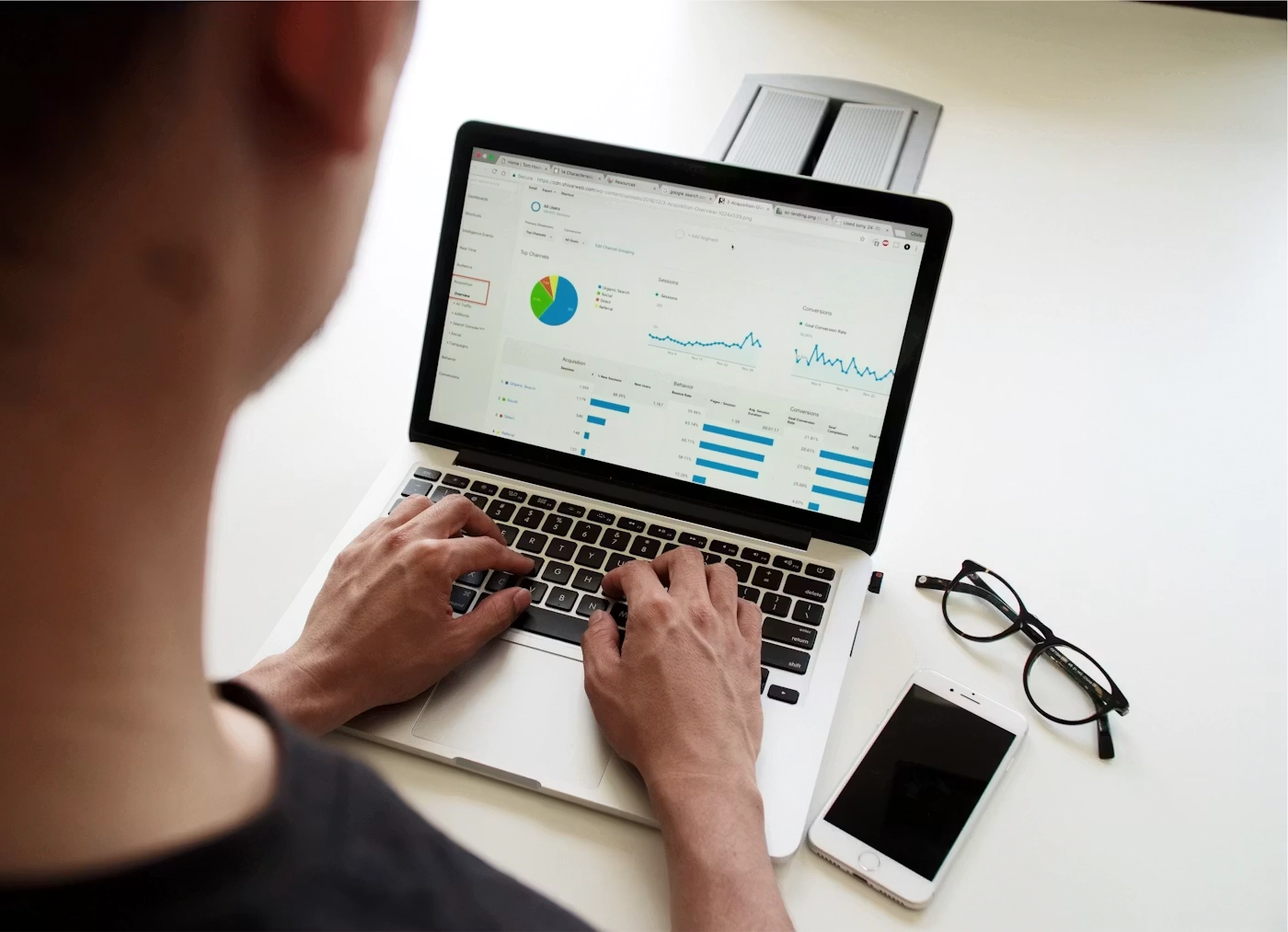
After crossing over from manual recaps to automated reports, the next question is: what should appear in the report? Reports that are too detailed get discarded by busy managers; reports that are too shallow do not help decisions.
Five elements that typically give the highest ROI in a weekly report:
- Touchpoint count per rep per day, broken down by channel (chat, call, meeting, email). This is the baseline volume metric.
- Deal movement between pipeline stages, with highlights for deals advancing to higher-value stages or regressing to earlier ones.
- Conversion rate per stage compared against team average, to identify reps who excel at certain stages and reps who need coaching.
- Deals stuck without activity for 14+ days, as an early warning before deals actually disappear.
- Anomalies that need attention, for example a rep who normally hits 50 touchpoints/week suddenly at 10, or a new rep whose closing rate is already above seniors.
What does not need to appear in weekly reports: full conversation transcripts, chat screenshots, or hourly breakdowns. All of that can be drilled down when the manager needs detail, but does not need to be in the default report.
Three Data Layers Behind Automated Reports

Technically, automated activity reports consist of three layers working together.
Activity capture layer. Every interaction with a customer is logged to the CRM when it happens. This can be direct (chat through the CRM inbox), semi-direct (sync from WhatsApp Business API), or automated (voice call through integrated phone system). This layer is the foundation; without complete data here, reports built on top will always have gaps.
Aggregation layer. Raw data is rolled up by relevant dimensions: per rep, per team, per source, per stage, per time period. Aggregation also calculates derived metrics like conversion rate, average deal size, and sales cycle length. This layer transforms thousands of events into numbers a manager can read in 2 minutes.
Delivery layer. Generated reports are sent to managers at relevant times and channels. Monday morning email for weekly review, real-time dashboard in the CRM for ad-hoc checks, or Slack notification for anomalies needing fast attention. This layer determines whether reports actually get read or ignored.
For a deeper understanding of the sales KPIs that come out of the aggregation layer, see CRM Sales KPI Tracking: A Manager’s Guide.
Traps That Appear During Setup
Six mistakes that commonly appear when teams first implement activity reporting:
- Building reports with 30+ metrics because “everything feels important”. Managers do not read long reports. Pick 5-7 metrics that genuinely lead to decisions.
- Measuring effort (number of calls) without outcome (conversion from calls). A rep making 100 calls with 0 closes is not better than a rep making 20 calls with 5 closes.
- Wrong delivery cadence. Daily reports for teams moving on weekly cycles create noise. Monthly reports for transactional teams moving on daily cycles are too slow for intervention.
- Reports that are only informative without action triggers. Every metric in the report should answer “so what?”. Metrics without that answer are decoration.
- Aggregation too coarse to be actionable. “The team closed 20 deals last week” is not actionable; “Rep X closed 2 deals fewer than average, 4 of which stuck in Negotiation” is.
- No feedback mechanism to improve the report. After 3 months running, the report should be reviewed: what is useful, what is not, what is missing. Iteration is part of setup.
Questions to Ask the CRM Vendor
Before committing to a CRM for this purpose, three questions whose answers determine whether the CRM is ready or not.
The first question is about automation: “What percentage of sales activity is logged automatically without manual rep input?” A serious vendor can give a concrete percentage based on the integrations they have (WhatsApp Business API, phone, email, calendar). A vague vendor usually relies on manual input that reps skip during busy periods.
The second question is about customization: “Can I define metrics and report format myself, or am I limited to built-in templates?” Every business has different ways of measuring. A CRM with reports that cannot be customized will always leave a gap between what the manager needs and what the system delivers.
The third question is about the action loop: “After the report arrives, what mechanism does the CRM provide for follow-up intervention?” A report that is only informative is half the job. A mature CRM provides workflow that connects reports to action: alerts to managers, task assignment to reps, or coaching sequence triggers.
To understand lead distribution that becomes the input to the activity being reported, see How Automated Lead Distribution Works in a CRM.
Cekat addresses all three questions as part of the base architecture: activity from WhatsApp Business API and other communication channels is logged automatically to the CRM, reports can be customized with metrics and format fitting team needs, and every metric appearing in reports connects to follow-up workflow (reminder, reassignment, or coaching flag).
For infrastructure details of the ticketing system that supports sales activity tracking, see Ticket Management System from Cekat.
Break Free from Manual WhatsApp Recaps
Every Monday morning you spend manually recapping team chats is time lost to coaching and deal intervention. Sales teams that shift to automated activity reports typically recover 10-15 hours of manager time per week, and forecasting accuracy rises significantly in the first quarter.
If you want to stop depending on manual chat recaps and get activity reports that genuinely move decisions, CRM Application from Cekat provides automated reporting connected directly to follow-up workflow without complex initial setup.
Start a free trial to see sample activity reports and the team dashboard directly.
Or chat with our team for an audit of your current sales reporting flow and recommendations on report setup.